
How to Protect Yourself From Phishing Scams
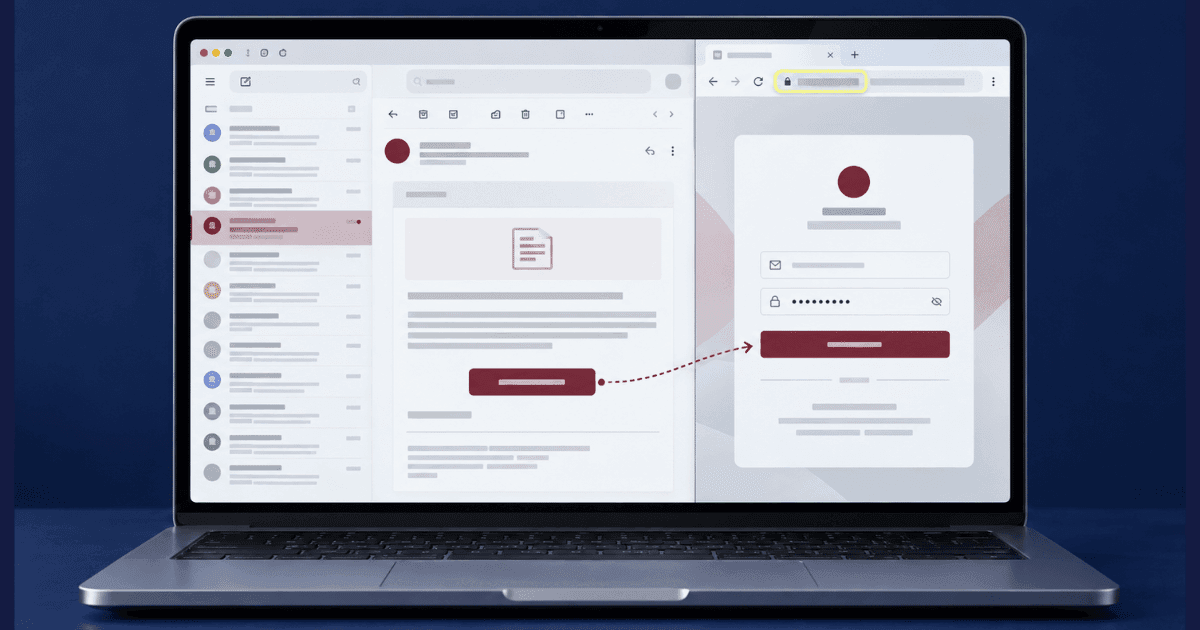
Most advice on how to protect yourself from phishing scams is built around spotting bad spelling and odd links, which describes phishing as it looked a decade ago. Current messages are well written, correctly branded, and often arrive in a thread you were already expecting. The reliable defence is no longer visual inspection. It is a small set of habits that make the message irrelevant: verifying through a channel the attacker does not control, and structuring your accounts so a single successful attempt does not cascade. This guide covers both, along with what to do in the hour after you realise you clicked.
What Phishing Scams Are Trying to Obtain
Understanding the objective behind a phishing message makes it easier to assess the risk. Attackers may be seeking login details, temporary security codes, money, access to your device, or personal information that can support a more convincing attempt later.
Login credentials. A fake sign-in page may closely copy the real service and capture your username and password. Some pages then redirect you to the legitimate website, making the failed or repeated login appear normal.
One-time codes. A stolen password may not be enough when an account uses a second authentication step. An attacker may therefore ask you to read back a code while pretending to represent a bank, delivery company, employer, or support team. Do not share a security code in response to an unexpected message or call.
Payments. Fake invoices, subscription renewals, changed bank details, and urgent payment requests are designed to obtain a direct transfer, gift card code, or cryptocurrency payment rather than account credentials. The Geek Squad scam is a common example of this pattern, where a fake renewal notice is used to start a phone call rather than to steal a password directly.
Device access. A link or attachment may install malicious software, while a caller may persuade you to install legitimate remote-access software under the pretence of providing technical support. Either method can expose activity on your screen and information stored on the device.
Personal information. Details such as your employer, date of birth, address, card information, or identification documents may be collected for identity fraud or a later targeted approach. If sensitive information has already been exposed, the appropriate steps for reporting identity theft depend on what was shared and whether any accounts have been accessed.
Identifying what the message is trying to obtain helps determine whether deleting it is sufficient or whether you should immediately secure an account, contact your bank, or inspect the affected device.
How to Protect Yourself From Phishing Scams in Practice
Verify Requests Through a Separate Channel
If a message asks you to log in, send money, disclose information, or confirm an account action, do not use the links, phone numbers, or contact details it provides. Open the official app, use a saved bookmark, type the website address yourself, or call a number published on the organisation’s verified website. Be cautious if the sender objects to independent verification, pressures you to remain on the call, or discourages you from contacting the organisation directly.
Strengthen the Way You Sign In
Treat one-time codes like passwords and do not disclose them in response to an unexpected message or call. Use unique passwords and enable stronger authentication wherever possible. Authenticator apps, passkeys, and hardware security keys can provide additional protection, while a password manager may help identify lookalike domains by refusing to fill saved credentials on an unfamiliar address.
Separate Valuable Accounts From Public Contact Details
Use different email addresses for financial accounts, shopping or social accounts, and public-facing activity. This limits how easily someone who knows one address can identify your most sensitive accounts. Review where your email address, phone number, employer, and other identifying details appear online. Knowing how to protect your personal information can reduce the material available for personalised attempts.
Phishing Warning Signs Worth Noticing
Even a polished message may contain signs that the sender is trying to create pressure or prevent independent verification:
- Urgency linked to a consequence, such as an account closure, failed payment, returned delivery, or security alert
- A request to keep the matter confidential, especially in workplace messages claiming to come from a senior colleague
- New bank details or payment instructions added to an otherwise familiar invoice conversation
- A sender address or reply address that differs slightly from the organisation or person shown in the display name
- A request for a password, one-time code, payment, remote device access, or sensitive document
- Resistance when you try to verify the request through an official website, app, or published phone number
Pay attention to the reaction the message is designed to create. Fear, urgency, curiosity, and the promise of an immediate solution can all encourage action before verification. Learning how to avoid being scammed online involves recognising that emotional pressure may be a warning sign even when the branding, language, and personal details appear convincing.
Need Expert Help?
Our team has resolved thousands of cases. Get confidential support now.
The First Hour After You Click
Act quickly based on what you entered, shared, or installed rather than spending time determining how the message deceived you.
If You Entered a Password or Shared a Code
Change the password through the genuine service, update it anywhere else it was reused, and sign out of active sessions. Review connected devices and recent activity. If you shared a one-time code, contact the service through an official support channel.
If You Entered Payment Details
Call your bank using the number on your card or in its official app. Explain what information was entered, ask whether the card should be frozen or replaced, and report any transaction immediately.
If You Installed Software
Disconnect the device from the internet and change important passwords from another trusted device. Remove the suspicious or remote-access software, then have the device checked before using it for sensitive accounts.
Review Your Email Security
Check for forwarding rules, recovery addresses, or connected applications you did not add. You can also search your address through Have I Been Pwned. A result indicates exposed data, not necessarily a current account compromise.
Reducing What Attackers Can Learn About You
Phishing becomes more convincing when the sender knows your employer, recent purchases, contact details, or services you use. This information may come from public profiles, old accounts, data breaches, and data broker listings rather than direct access to your device. Review what appears when your name, email address, and phone number are searched. The process of cleaning your digital footprint can help identify information that should be removed or restricted.
Close accounts you no longer use, limit public contact details, and hide social connection lists where possible. Be cautious of extortion emails claiming that your device was hacked or your activity recorded, particularly when an old password is included as proof. The password may have come from a previous breach and does not establish that the device was accessed. Change it anywhere it remains in use and review the security of the affected accounts.
Frequently Asked Questions
I clicked the link but entered nothing. Am I fine?
Usually yes, if nothing was typed and nothing was downloaded. Check the device for anything installed that you did not install, then move on rather than searching for damage that is not there.Does a padlock in the address bar mean the site is genuine?
No. It means the connection is encrypted, not that the owner is who they claim. Phishing pages routinely carry one, so it tells you nothing about trust.Should I reply and ask whether the message is real?
Never in the same thread, since a reply confirms a live recipient. Open the service yourself through its usual address or app and check from inside your account.I reused that password elsewhere. What comes first?
Change it on the account that holds the most, usually your primary email, because that is what resets everything else. Then work outward to the accounts sharing it.Does reporting a phishing message achieve anything?
It does more than it appears to. Reports are what get sending infrastructure and fake pages taken down, and that happens at a scale no individual message suggests.Taking Action Against Phishing Scams
Knowing how to protect yourself from phishing scams depends less on recognising a perfect fake and more on verifying requests independently. Open services through official apps or saved addresses, never disclose one-time codes after an unexpected contact, and use unique passwords with stronger authentication. If you have already interacted with a suspicious message, secure the affected account, review active sessions, and contact your bank or service provider through an official channel.
Reducing the public information connected to your name, email address, and phone number can also make future attempts less convincing. Review old profiles, exposed contact details, and data broker listings instead of focusing only on the message that reached you. Professional personal information removal support can help address records that remain visible across multiple websites.
About the Author
Altahonos Team
The Altahonos Team consists of cybersecurity and online reputation management specialists with extensive experience in digital threat mitigation and content removal strategies, helping individuals and businesses protect their digital presence.
Related Resources
Trusted by Thousands

Based on 587+ verified reviews