

How to Report Blackmail on Microsoft Teams
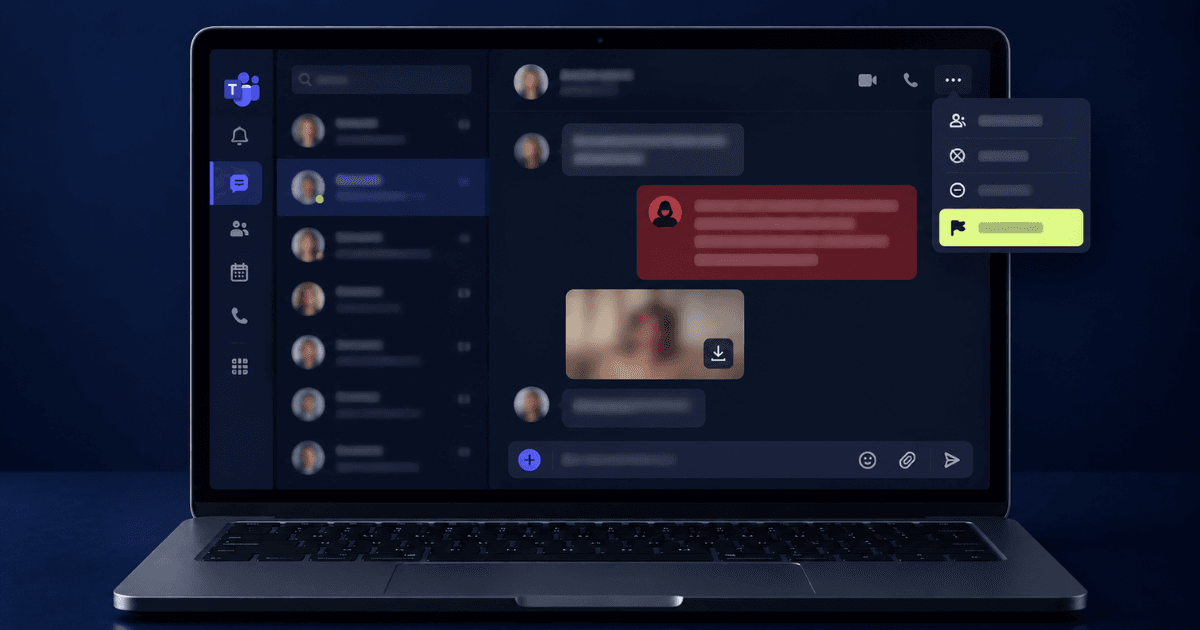
Blackmail arriving through Microsoft Teams is different from blackmail on a social app, and the difference is entirely about context. Teams is a workplace system, which means the account contacting you sits inside an organisation, the messages are usually retained by that organisation, and the response involves people you will see again. That sounds worse. In practice it is a significant advantage, because unlike an anonymous social account, a Teams identity leaves a durable administrative trail. This guide covers how to report blackmail on Microsoft Teams properly, what your IT department can and cannot see, and how to handle it when the threat involves your employer.
First, Identify Which Situation You Are In
Three scenarios arrive through Teams, and each one routes to a different first move when you are working out how to report blackmail on Microsoft Teams. Getting this right early saves time, because calling IT about something HR should handle (or the reverse) slows the response down when speed actually matters. If you are unsure what to do when you are blackmailed, regardless of the platform involved, start by preserving the evidence, limiting further contact, and identifying the right reporting channel.
External Contact Through Federation
Teams allows people outside your organisation to message you if external access, sometimes called federation, is enabled on your tenant. This is how most opportunistic blackmail reaches a work account: the sender has no relationship with your company at all, and is simply using Teams as a delivery channel because it feels more official and harder to ignore than a social app. The sender may be using a free, unmanaged Teams account, or a domain registered specifically for this kind of contact. In this scenario, the account itself tells you very little about who is behind it, but the domain and tenant details still give investigators more to work with than an anonymous social profile would.
A Compromised Internal Account
Here the account is genuinely one of your colleagues, but the person operating it is not. This usually follows a phishing campaign that captured the colleague's credentials, and the messages sent from it may look unusually formal, unusually urgent, or slightly off in tone if you know the person. Because the account itself is real and trusted within your organisation, this scenario tends to move fastest once flagged, since your security team can act on a known, internal identity immediately.
An Internal Sender
This is the least common version, and the most difficult, because the threat is simultaneously a security incident and a workplace relationship. If you recognise the sender and believe the account has not been compromised, treat this as seriously as you would treat it outside of work, and involve HR alongside IT rather than IT alone. Establishing which of these three applies decides whether your first call is to IT, to HR, or to both, so it is worth pausing on this before taking the next step.
Before You Do Anything Else
Do Not Reply, Do Not Pay
The reasoning is the same as on any platform, with one addition specific to work systems. Replying from a corporate account can create a record that complicates things later, particularly if you say something in panic. Paying does not close the matter either; it only confirms the account is being monitored and invites a second demand. Say nothing.
Preserve Evidence in a Way That Survives
This matters more on Teams than elsewhere, because a tenant administrator can delete messages, an external user can be blocked mid conversation, and retention policies can remove content on a schedule.
- Screenshot the full conversation including the sender's display name and full address
- Copy the sender's complete identity string, which for external users includes their domain
- Note the exact timestamps, and the time zone your client is displaying
- Capture any files, links, or images sent, without opening them
- Record the channel or chat type: one to one, group chat, or a channel post
Save this outside the corporate environment as well as inside it. If the situation later involves your employer, you want a copy you control. Knowing how to collect evidence for blackmail can help you preserve records in a form that remains useful for reporting or any later investigation.
Do Not Delete the Conversation
The instinct to make it disappear is strong, and it destroys the only record you have. Leave it in place, even if you have to mute the chat to stop seeing it. Archiving is fine; deletion is not, since it can also remove the metadata that proves when and from whom the messages arrived.
Reporting Inside Microsoft Teams
Teams has a built in reporting path, which is usually the fastest way to report blackmail on Microsoft Teams, though its availability and destination depend on how your organisation has configured the service. In the chat, open the message options and choose the report option, then select the category that best fits the situation, such as harassment or threatening content. Depending on tenant settings, this routes either to Microsoft directly or to your own organisation's security team, and knowing which one applies changes what you should do next. In many corporate tenants, user reports go to internal administrators rather than to Microsoft, which means the in-app report is really a notification to your own IT department rather than an external escalation.
Block the sender only after reporting, not before, so the report carries the full conversation with it rather than an empty thread the reviewer cannot assess. Microsoft's Teams support documentation sets out what each report category does and where it is routed.
Going directly to your IT or security team alongside the in-app report is usually the faster route: they can see whether the sender contacted others, block the account at the tenant level, and place the messages under a legal hold so retention policies do not remove them. You do not need to disclose the content of any threatened material to get this started; saying it is a personal matter is enough. If the sender is internal, most organisations also have a confidential route through HR or an ethics line.
Need Expert Help?
Our team has resolved thousands of cases. Get confidential support now.
Reporting Outside the Organisation
Blackmail can constitute a criminal offence regardless of the platform used to deliver the threat. A Teams-based incident may also leave useful identifying information, such as account details, timestamps, message history, and in some cases information connected to an external organisation or domain.
Report the incident through the appropriate national cybercrime reporting channel and local law enforcement, bringing the evidence in chronological order. Where the threat targets your employer rather than you personally — for example, a demand for payment tied to company data — it should also be escalated through the organisation's internal security process.
Cases involving corporate blackmail can raise additional questions around internal stakeholders, disclosure obligations, data exposure, and business continuity, so the response may need to be coordinated differently from a purely personal threat.
If Personal Content Is Involved
A common pattern involves content obtained elsewhere, on a dating app or social platform, then delivered to the work account because the professional setting increases the pressure. The sender is betting that the risk to your career will make you pay faster.
Treat the delivery channel and the content as two separate problems. The Teams side is handled through reporting and blocking. If the personal content is being used for blackmail through Microsoft Teams, preserve the evidence, do not pay, and begin the appropriate removal and monitoring steps before the material spreads further.
The professional exposure is usually less than it feels. Employers encounter this more often than people assume, and an employee who reports an extortion attempt is in a substantially stronger position than one who is discovered to have paid one quietly.
Taking Action Now
If you are working out how to report blackmail on Microsoft Teams right now, the order matters: stop replying and leave the conversation in place, screenshot everything including the sender's full address and timestamps, then report the message in Teams and block the sender only afterward. Notify IT security so the account can be blocked tenant wide and the messages preserved, and file a police report, seeking specialist support if personal content is involved. Blackmail through a work platform feels more exposed than it is. The same channel that makes it frightening is the one that keeps a record, and that record is usually the most useful thing you will have. If you need immediate assistance with reporting blackmail, professional support can help you manage the next steps.
About the Author
Altahonos Team
The Altahonos Team consists of cybersecurity and online reputation management specialists with extensive experience in digital threat mitigation and content removal strategies, helping individuals and businesses protect their digital presence.
Related Resources
Trusted by Thousands

Based on 488+ verified reviews