

How to Report Extortion Emails: Spotting the Bluffs
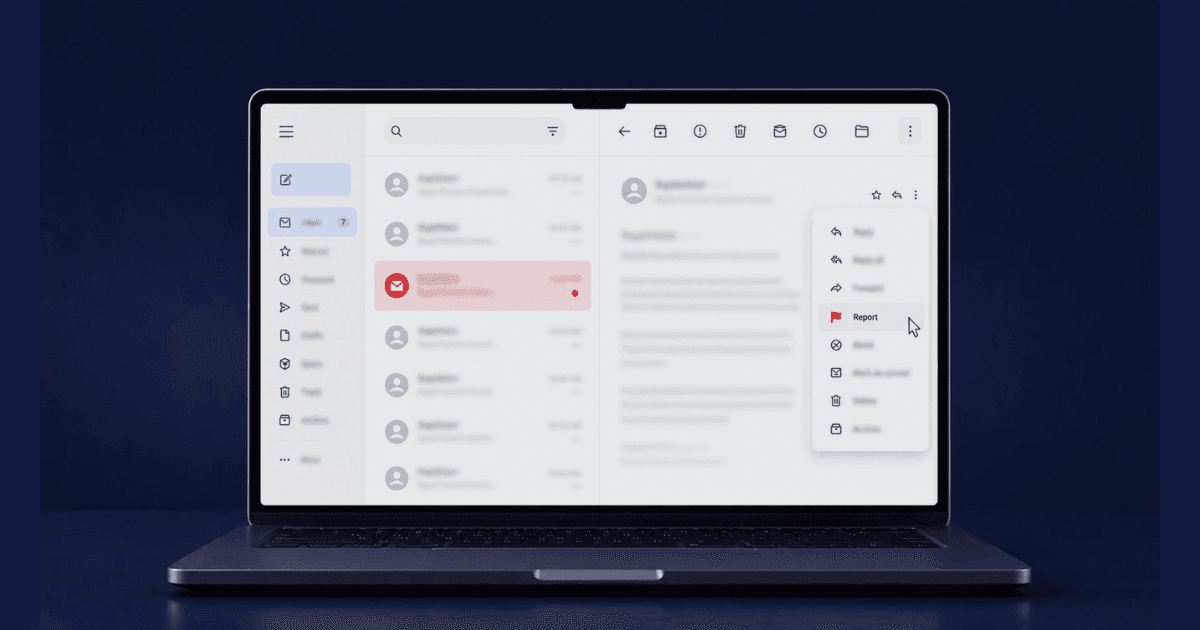
Knowing how to report extortion emails matters more than ever, since sextortion emails, ransomware threats, "I hacked your computer" messages, and various blackmail variants flood inboxes by the millions. Most are bluffs from mass campaigns; some are targeted attacks with real material. Either way, reporting them correctly contributes to law enforcement intelligence, protects future targets, and creates the record you need for follow-up if the threat escalates. This guide walks through the proper reporting workflow, the distinction between bluffs and credible threats, and the protective steps to take regardless.
Recognize the Most Common Extortion Email Types
Email extortion clusters into a handful of recognizable categories. Sextortion emails typically claim to have video of you watching adult content and threaten to send it to your contacts unless you pay, while account compromise claims assert that the sender has your password and will release your data otherwise. Business email compromise targets companies specifically, often through executive impersonation, and ransomware notes threaten encrypted files unless you pay for decryption keys. Doxxing threats claim to have your home address and threaten to publish it, and old-data leveraged threats use information from old, unrelated breaches as fabricated "proof" that the sender has real access to you. The Hello pervert scam email is one of the most widely circulated versions of this exact template, reused across millions of inboxes with only minor variations.
Distinguish Bluffs from Credible Threats
Most email extortion is a mass-campaign bluff, and a few signs give it away: the same message sent to multiple recipients, an old password from a known breach used as fake "proof," a cryptocurrency-only payment demand, generic threats without any personal specifics, near-identical multi-language variants, arbitrary deadlines like "48 hours," and no actual demonstrable material behind the threat. Credible threats look different. They tend to include specific personal information, such as your current address, recent activity, or family details, along with demonstrated material like sample screenshots or specific descriptions. The timing is often tied to a real incident in your life, the sender shows knowledge of recent events, and the threat may be coordinated across other channels like social media or phone calls. Most emails are bluffs, but either way, the response that follows is the same.
Do Not Pay or Reply, and Preserve the Email
Regardless of whether the email is a bluff or real, never pay or engage with it. Replying only confirms your address is active and routes more spam your way, and payment signals you're a viable target; real threats often release the material anyway after payment, and that same money could go toward actual protection instead. Don't delete the email either. Save it with full headers intact (View → Show Original in Gmail, View Source in Outlook), take screenshots showing the date, sender, subject, and full body, and copy the text into a separate document noting when it arrived. Note any attachments without opening them, save the message ID and any reference numbers found in the headers, and forward the email with full headers to a secondary address of your own as a backup. Email headers carry routing information that can sometimes help identify where the message originated. These two steps, staying silent and preserving evidence, are the foundation of stopping blackmail emails before they escalate into a longer campaign.
Report to FBI IC3 (US)
FBI IC3 handles US cyber extortion reports. File directly at IC3.gov, choosing the "Extortion" or "Sextortion" category as appropriate, and provide the full email with headers along with any payment demands and sent payments. Including your IP address and relevant email history context helps too, and saving the IC3 reference number matters for any follow-up. IC3 aggregates reports across victims, and many extortion campaigns get dismantled based on combined reports that reveal common patterns, addresses, or wallets shared across cases.
Report Internationally
UK victims can report to Action Fraud, using the "Online Sextortion" category where it applies. In the EU, national police alongside Europol's European Cybercrime Centre handle these reports, while Canada routes them through the Canadian Anti-Fraud Centre and Australia through ReportCyber or Scamwatch. Most countries maintain a national cybercrime portal of some kind. It's worth filing even for emails that are clearly bluffs, since the patterns they reveal feed into broader enforcement efforts.
Need Expert Help?
Our team has resolved thousands of cases. Get confidential support now.
Report to Your Email Provider
Email providers can block patterns and warn other users once they know about them. In Gmail, use Report → Phishing or Report → Spam with the full content included; in Outlook, it's Report → Junk → Phishing. Yahoo offers a Spam → Report as Phishing option, and ProtonMail has a dedicated Report Phishing button. For a business email account, contact your IT security team directly instead. Reporting this way helps the provider train its spam filters and warn other potential targets.
Address Compromise Claims
If the email claims to have your password (especially recent ones), assess account security.
- Check Have I Been Pwned for known breaches involving your email
- Change passwords for any account using the disclosed password
- Enable 2FA on all important accounts
- Run anti-malware scans on your devices
- Review login activity on your email account
- Watch for SIM swap signals (carrier notifications, loss of cell service)
Even if the threat is bluff, the password disclosure is real, the data came from a breach somewhere.
Forward to Anti-Phishing Working Groups
Several organizations collect spam and extortion email patterns.
- Anti-Phishing Working Group: reportphishing@apwg.org
- FTC: spam@uce.gov (now reportfraud.ftc.gov)
- SpamCop: Reports help blocking lists
- Microsoft: phishing@office365.microsoft.com for Microsoft-hosted threats
These reports feed into industry-wide spam filtering and blocklists, which means a single report can help block the same sender from reaching thousands of other inboxes.
Protect Your Email Account and Get Professional Support
Even when it's unrelated to the specific threat, taking a few protective steps is worth doing. Enable two-factor authentication if you haven't already, and use a strong, unique password for your email account specifically. Review your recent login activity and log out of any unfamiliar sessions, and check for forwarding rules, since attackers sometimes quietly set one up to monitor incoming mail. Reviewing connected apps and revoking unknown permissions, along with updating your recovery email and phone number, rounds out the basics.
For credible, targeted extortion rather than a mass-campaign bluff, professional support is worth engaging early. Cyber blackmail help connects you with response support built for exactly this situation, and working with an attorney experienced in cyber extortion adds legal weight if things escalate. If intimate material is at risk, coordinating content removal preparation in parallel saves time later, and business systems that may be compromised warrant bringing in IT security professionals directly.
Take Action With Confidence
Knowing how to report extortion emails is a quick but impactful step. Preserve the email, file with FBI IC3 or your national cybercrime unit, report a blackmail email to your provider, protect your accounts, and don't pay. Most emails are mass-campaign bluffs that lose all power once you recognize them; the few that are real require additional response but still never warrant payment. Resources are available 24/7 for both bluff assessment and credible threat response. The criminal counts on panic; clear, systematic response is how you take back control.
About the Author
Altahonos Team
The Altahonos Team consists of cybersecurity and online reputation management specialists with extensive experience in digital threat mitigation and content removal strategies, helping individuals and businesses protect their digital presence.
Related Resources
Trusted by Thousands

Based on 488+ verified reviews